Your Meta Pixel is installed. It fires on the purchase page. Your ads manager shows conversions.
And yet your ROAS looks worse every quarter — even when the actual sales are holding steady.
Here’s what most brands don’t realize: your Pixel is only capturing a fraction of your real conversions. In 2026, with iOS privacy restrictions, ad blockers, and browser-level tracking limits all stacked against you, running Pixel-only tracking isn’t just inefficient — it’s actively costing you money.
The fix is the Meta Conversions API (CAPI). It’s not new, but most eCommerce brands under $5M still aren’t using it correctly. This guide breaks down why your tracking is broken, what CAPI actually does, and how to set it up — even if you’re not a developer.
Your Meta Pixel Is Working — Just Not Well Enough
The Pixel has always had a fundamental limitation: it lives in the browser.
That means every time someone blocks cookies, uses Safari, turns on iOS tracking prevention, or runs an ad blocker — your Pixel either fires incomplete data or doesn’t fire at all. The event still happened. The purchase was made. But Meta never saw it.
Before iOS 14, this was a manageable problem. Maybe you lost 5–10% of signals. Annoying, but not account-breaking.
After iOS 14 — and especially heading into 2026, where Apple’s App Tracking Transparency (ATT) opt-in rates sit around 25–30% globally — the data gap has exploded. Studies have shown that eCommerce brands using Pixel-only tracking are missing 20–40% of their actual conversion events.
That’s not a rounding error. That’s your algorithm flying blind on nearly half your buyers.
What Actually Happens When the Pixel Fires (And Why It Fails)
Here’s a simplified breakdown of the Pixel’s journey:
- Customer clicks your Meta ad
- Their browser loads your landing page
- The Pixel script executes (if the browser allows it)
- An event fires back to Meta’s servers (if the request isn’t blocked)
- Meta attributes the conversion (if the click is within the attribution window and not anonymized)
Each step is a potential point of failure. Safari blocks third-party cookies by default. iOS users can opt out of cross-app tracking entirely. Ad blockers intercept Pixel requests before they leave the browser. And even when the Pixel fires successfully, Apple’s Private Click Measurement (PCM) intentionally delays and aggregates click data to protect user privacy — which means less granular signal for your Meta algorithm.
The result: Meta sees a distorted picture of who your buyers are, underreports your conversions, and optimizes your campaigns toward the wrong audience.
The Real Cost: How Much Data Are You Actually Losing?
Let’s put numbers to this.
Assume your store does 300 purchases per month. You’re running Pixel-only tracking.
- iOS users make up ~55–60% of mobile traffic for most fashion and wellness eCommerce brands
- ATT opt-in rates are around 25–30%, meaning roughly 70–75% of iPhone users are opted out
- Ad blockers are used by ~27% of US internet users (Statista, 2024)
- Browser-level cookie restrictions (Safari ITP, Firefox) affect another significant slice
Stack all of that together and you’re likely only capturing 60–80% of your real conversion data — if you’re lucky. Some audits show the gap is even larger for fashion and health brands with a high iOS audience skew.
What does that mean in practice?
- Your reported CPA looks 25–40% higher than it actually is
- Your algorithm gets weaker signals and serves ads to less relevant buyers
- You underspend on campaigns that are actually working — because the data suggests they aren’t
- You scale the wrong creatives based on incomplete attribution
This isn’t a hypothetical. It’s what we see across nearly every new account we audit at Dash Activate Online — brands spending $15K–$80K/month on Meta with a 30%+ signal gap they don’t know exists.
What Is the Meta Conversions API (CAPI)?
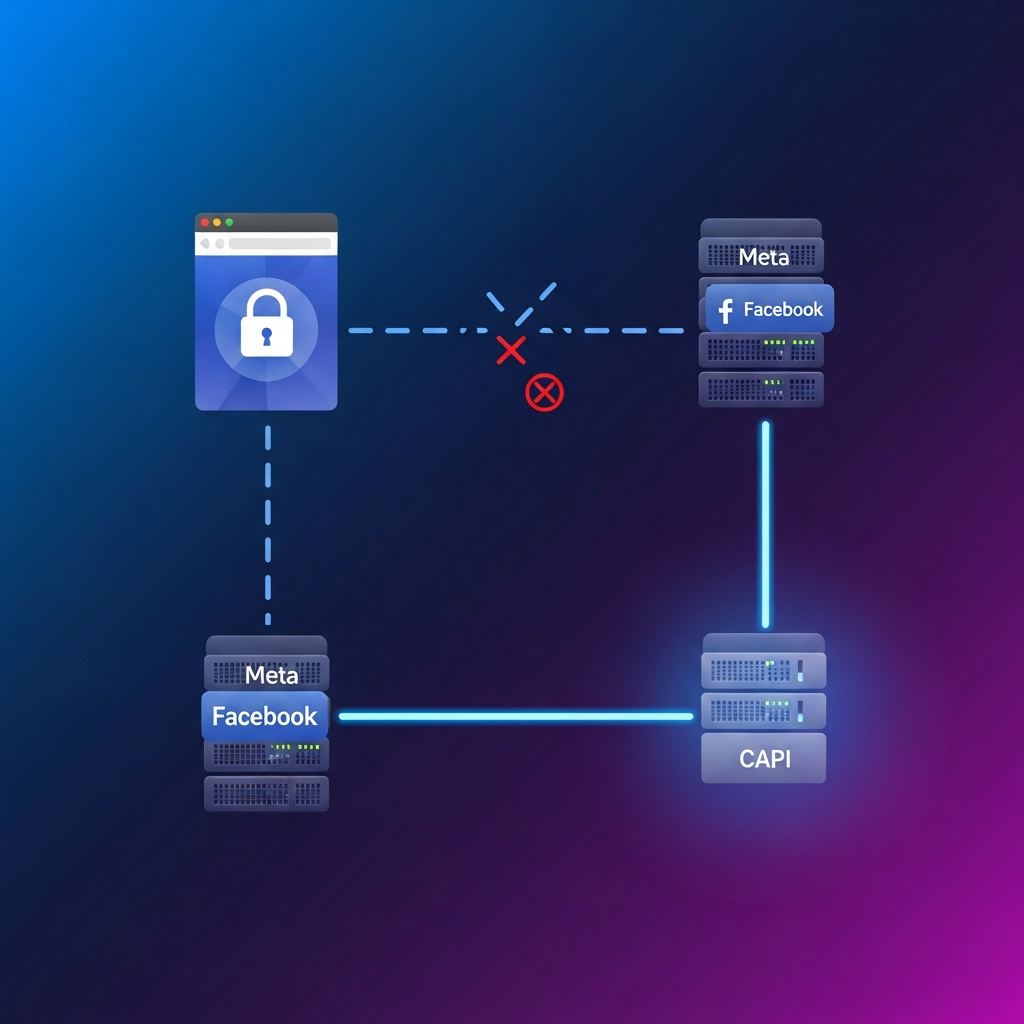
The Conversions API is Meta’s server-side tracking solution. Instead of relying on the browser to send conversion data, CAPI sends events directly from your server (or via a third-party integration like Shopify or a CDP) to Meta’s servers.
Here’s why that changes everything:
- No browser dependency. iOS restrictions, Safari ITP, ad blockers — none of them can intercept a server-to-server call
- More complete data. Events that the Pixel misses (because the browser blocked them) are captured by CAPI
- Better deduplication. When both the Pixel AND CAPI fire, Meta uses event IDs to deduplicate — so you’re not double-counting, you’re filling gaps
- Stronger signals. More complete conversion data means the Meta algorithm can optimize more accurately, which directly impacts your delivery quality and ROAS
CAPI doesn’t replace the Pixel — it works alongside it. The Pixel captures real-time browser-side events. CAPI captures what the browser misses. Together, you get the most complete picture of your customer journey.
Pixel vs. CAPI vs. Both: Why “Both” Always Wins
| Setup | Signal Quality | iOS Coverage | Ad Blocker Resilience |
|---|---|---|---|
| Pixel Only | Weak (60–75%) | Poor | None |
| CAPI Only | Strong (75–85%) | Good | Strong |
| Pixel + CAPI | Best (85–95%) | Best | Best |
Meta’s own data shows that advertisers running Pixel + CAPI together see an average 19% increase in reported conversions compared to Pixel-only — and some brands report 30–40% lifts, especially those with a high iOS audience.
The increase isn’t fake conversions being added. It’s real conversions that were always happening — that Meta simply couldn’t see before.
How to Set Up Meta CAPI (Without a Developer)
There are three ways to implement CAPI. Which one is right for you depends on your stack.
Option 1: Shopify Native Integration (Easiest)
If you’re on Shopify, this is the fastest path. Meta has a direct Shopify integration that handles CAPI server-side events automatically.
- Go to Shopify Admin → Preferences → Facebook Channel
- Connect your Meta Business Manager account
- Enable the Conversions API under the “Data Sharing” settings
- Set data sharing level to Maximum (this enables server-side events)
- Verify in Meta Events Manager that server events are appearing
This takes about 20 minutes and requires zero code. If you’re on Shopify and not running this, stop reading and go do it right now.
Option 2: Meta’s Event Setup Tool + Partner Integration
If you’re not on Shopify but use another platform (WooCommerce, BigCommerce, Magento), check Meta’s list of official CAPI partner integrations. Many platforms have native support.
For WooCommerce: Meta Pixel for WooCommerce (official plugin) now includes CAPI events when properly configured. Install it, connect your Pixel, and enable server events in the plugin settings.
Option 3: Direct API Integration (Best for Custom Stacks)
If you have a custom-built store or need more control over what events you send, you can implement CAPI directly via the Meta Marketing API. This requires a developer but gives you the most flexibility — including the ability to send CRM data as offline conversions.
The key things to send:
- Purchase events (required) — with event ID for deduplication
- AddToCart + InitiateCheckout (recommended) — improves mid-funnel signals
- Customer data for matching — email (hashed), phone (hashed), IP, user agent
The more customer matching data you pass, the higher your “Event Match Quality” score in Meta Events Manager — and the better Meta can attribute conversions to the right campaigns.
The Event ID / Deduplication Step (Critical)
Whether you’re using Shopify integration or a custom build, every CAPI event needs a unique event_id that matches the event_id fired by the browser Pixel for the same event.
This is what allows Meta to deduplicate. Without it, you’ll double-count events and your reported conversions will be inflated — which is almost as bad as under-reporting.
Most native integrations handle this automatically. If you’re building custom, make sure deduplication is part of your QA checklist.
What to Expect After CAPI Is Live
Once you’ve got Pixel + CAPI running with proper deduplication, here’s what you should see:
Week 1–2:
- Your reported conversion numbers will likely increase — sometimes dramatically. This is real data that was always there, now visible.
- Your CPA will appear to drop. Same spend, more attributed conversions.
- Don’t panic. This isn’t Meta inflating your numbers. It’s filling the gaps.
Week 3–4:
- The algorithm starts to recalibrate. It now has better signals to work with.
- You may see delivery shift to different audience segments — ones that were always converting but not being attributed.
Month 2+:
- With better signal quality, your campaigns should optimize more efficiently
- Prospecting performance often improves noticeably — the algorithm is finally learning from a complete dataset
- Some brands report 15–25% improvement in ROAS at the same spend level after 60 days of full CAPI implementation
We’ve seen similar patterns across clients we’ve onboarded at Dash Activate Online. The brands that made the switch from Pixel-only to Pixel + CAPI in 2024–2025 are now operating on a fundamentally stronger foundation going into 2026. For more on how Meta’s tracking changes are affecting campaign strategy, see our guide on Meta’s attribution overhaul and what eCommerce brands must adjust.
Common CAPI Mistakes That Kill Your Data Quality
Setting up CAPI is only half the battle. Here’s what breaks it:
1. No deduplication → double-counted events
If both the Pixel and CAPI fire without matching event IDs, Meta counts two purchases for one transaction. Your ROAS looks great. Your revenue doesn’t match. Always implement event deduplication.
2. Low Event Match Quality (EMQ) score
Meta scores how well your events match to real user profiles (0–10). Low EMQ = less attribution. Improve it by passing hashed email, phone, and user agent with every event. Check your EMQ score in Meta Events Manager → Data Sources → your Pixel.
3. Missing customer data in CAPI payload
Many implementations send the event but skip customer parameters (email, phone). This defeats a major purpose of CAPI — better user matching. Even if a customer isn’t logged in, pass whatever you have.
4. Not testing before going live
Use Meta’s Test Events tool in Events Manager to verify CAPI events are firing correctly before you depend on them. Run a test purchase, confirm the event appears with the right parameters and a matching event ID from the Pixel.
5. Pixel + CAPI configured to fire different events
Your Pixel should fire Purchase. Your CAPI should also fire Purchase. They need to match — with the same event name — for deduplication to work.
The Bottom Line
In 2026, running Meta Ads with Pixel-only tracking is the equivalent of trying to navigate with a map that’s missing 30% of the roads.
You’re spending real money. Your customers are converting. But Meta is only seeing part of the picture — and it’s optimizing based on incomplete data.
The Conversions API is not optional anymore. It’s infrastructure. And if you’re on Shopify, there’s no excuse — the native integration takes 20 minutes to activate.
If you’re a fashion or health eCommerce brand doing $500K–$5M/year and you’re not running Pixel + CAPI together with proper deduplication and customer matching, you’re leaving attribution quality (and likely ROAS) on the table.
Want to see what your current tracking gap actually looks like? We’ll pull your Events Manager data, check your EMQ scores, and show you exactly what you’re missing.
Book a strategy call → dashactivateonline.net/strategy-call/
No fluff. Just clarity on where your data is breaking down and what to do about it.
Related reading: