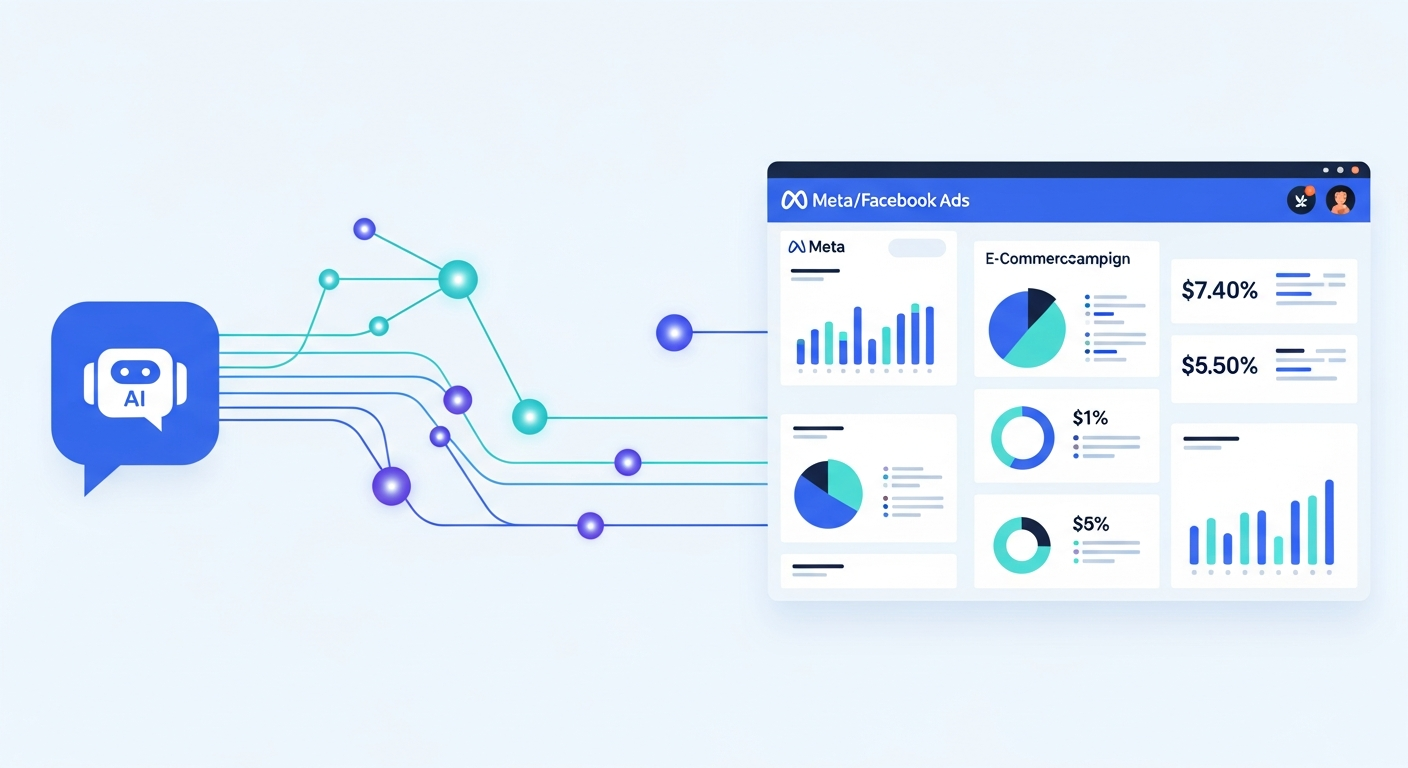
Meta just opened its ad system to Claude and ChatGPT. On April 29, 2026, the company launched Meta Ads AI Connectors in open beta — a set of tools that lets external AI agents connect directly to your Meta ad account and perform real campaign management tasks through natural language.
That's not marketing copy. That means you can literally type "show me last week's performance for my summer collection campaigns sorted by ROAS" into Claude or ChatGPT, and it pulls live data from your actual account. No exporting. No Ads Manager tab-switching. No manual pivot tables.
If you're running ecommerce ads on Meta, this is the most significant platform infrastructure shift since CAPI. This guide covers the meta ads AI connectors ecommerce setup process, the practical use cases, what to automate, and the guardrails you need before giving AI write access to your live account.
What Are Meta Ads AI Connectors?
Meta Ads AI Connectors are built on two components: an ads Model Context Protocol (MCP) server and an ads command line interface (CLI). Together, they give supported AI tools — right now that's Anthropic's Claude and OpenAI's ChatGPT — a secure, authenticated connection to your Meta ad account.
The key distinction from older "export and analyze" workflows: this is a live, read/write connection. The AI agent isn't just summarizing a spreadsheet you handed it. It's working with real account context — your actual campaigns, ad sets, catalog data, and conversion signals.
Setup for the MCP path requires no developer credentials, no API keys, and no coding. Meta authenticates the connection through their own auth layer. According to Meta, the process "takes minutes, not days." The CLI path is available for technical teams who prefer terminal-based tooling, but the MCP path is what most ecommerce operators will use.
What platforms are supported? Claude (via Anthropic's desktop app or Claude.ai) and ChatGPT (via OpenAI's tools) today. More AI agents are expected as the beta matures.
Why does this matter now? Meta posted $56.31 billion in Q1 2026 revenue — up 33% year-over-year. AI-driven advertising tools did most of the heavy lifting. Opening the ad system to external AI keeps advertisers tied to Meta's backend even when they're working inside Claude or ChatGPT. Your campaign data, creative assets, and product catalogs still live on Meta's infrastructure. The connectors just give AI tools a window into that data.
The Four Things AI Connectors Can Actually Do
Before you start automating everything, understand exactly what's in scope. The connectors cover four functional areas:
1. Comprehensive Reporting
Pull cross-campaign performance data using natural language queries. Ask for ROAS by campaign, CPM trends over 30 days, top-performing ad sets by conversion volume — and get it directly from your account data, not a cached export. This is the lowest-risk and highest-value starting point for most brands.
2. Campaign Management
Create and edit ads, ad sets, and full campaigns using natural language instructions. This means you can brief Claude on a new promotion, and it drafts the campaign structure, ad copy variations, and targeting parameters — then writes them to Ads Manager directly. This capability has the most upside and the most risk, which we'll get into below.
3. Catalog Management
For ecommerce brands running Dynamic Product Ads or Performance Max shopping campaigns, catalog issues are constant — broken feed entries, missing GTINs, disapproved products. AI Connectors give agents the ability to create product catalogs, add product data, and troubleshoot data feed issues. For brands with large catalogs, this alone is worth the setup time.
4. Signal Diagnostics
Agents can access signal health and quality data to help diagnose Conversions API issues, pixel mismatches, or event deduplication problems. Given that 89% of ecommerce brands now have some form of CAPI setup, having an AI that can audit your signal quality on demand is genuinely useful.
What to Automate vs. What Needs Human Oversight
Here's where most early adopters are going to make expensive mistakes.
AI Connectors give you read AND write access. That's powerful. It's also dangerous if you treat the AI as a decision-maker instead of an executor.
What's safe to automate
→ Reporting pulls. Weekly performance briefings, cross-campaign summaries, segmented breakdowns by creative or audience. Low risk, high time savings.
→ Catalog feed troubleshooting. Diagnosing disapproved products, identifying missing required fields, fixing feed format errors. AI handles this better than most humans because it's pattern matching, not judgment.
→ Drafting ad variations. Use AI to generate 3-5 creative variations for a new campaign brief. You review and approve before anything goes live.
→ Signal health checks. Asking Claude to audit your CAPI configuration and surface any quality issues. Read-only, diagnostic. Safe.
→ Campaign structure drafts. Let AI build out a campaign structure based on a brief — naming conventions, ad set splits, budget allocation framework — then review before publishing.
What needs human hands
→ Budget decisions. Do not let an AI autonomously increase or decrease budgets based on performance data without a human review step. Claude will execute "increase the budget on the campaign with the lowest CPA" without checking whether that campaign has enough conversion data to be statistically meaningful, or whether it's out of the learning phase. That's a budget fire waiting to happen.
→ Bid strategy changes. Bid caps, ROAS targets, cost caps — these affect the whole auction. One wrong instruction clears your guardrails fast.
→ Campaign pausing. Letting AI pause or kill campaigns based on a threshold sounds great. Until it pauses your best-performing campaign mid-launch because it hasn't hit target ROAS in the first 48 hours.
→ Audience targeting structure. Broad vs. interest stacking vs. Advantage+ audience expansion — these decisions require understanding your funnel and your margin, not just your last 7-day CPA.
The accountability framework to use: Think of AI Connectors as giving your AI tool analyst-level access with executor-level capability, but operator-level decisions stay with the human. Define in advance which tasks the AI can execute without review, which it should draft for your approval, and which it should never touch.
How to Get Started: Meta Ads AI Connectors Setup for Ecommerce
If you're running Meta ads and want to test this today, here's the practical path:
Step 1: Access the open beta. Go to business.facebook.com and look for the AI Connectors or MCP beta under your Business Settings or Tools menu. Meta is rolling this out broadly — most active ad accounts should have access or be on the waitlist.
Step 2: Authenticate your ad account. Use Meta's standard authentication (the same Business Manager login you already have). No separate API keys or developer access required for the MCP path.
Step 3: Connect to Claude or ChatGPT via MCP. In Claude's desktop app or ChatGPT's tool integrations, you'll add the Meta Ads MCP server using the endpoint Meta provides. The connection uses OAuth — click, authenticate, authorize.
Step 4: Start with read-only tasks. Before you test write access, spend a week using AI Connectors only for reporting and diagnostics. Build trust in the outputs. Verify that what Claude is pulling matches what you see in Ads Manager.
Step 5: Graduate to supervised write access. When you're ready to test campaign creation or catalog management, work in a test environment first. Use a separate ad account or draft campaigns that require manual review before publishing.
For technical teams: The CLI path gives you terminal-based control, which is useful for building repeatable workflows, automating scheduled reporting, or integrating with internal dashboards. It requires slightly more setup but offers more flexibility for custom workflows.
Real Use Cases for Fashion/Swimwear & Health Brands
Here's what this looks like in practice for the niches Dash Activate Online works in.
Fashion & Swimwear
Summer campaign reporting: "Show me performance for all campaigns tagged 'swimwear-summer-2026' over the last 14 days, broken down by ad set with CPM, CTR, ROAS, and spend." → Instant cross-campaign report instead of 20 minutes of manual export + formatting.
New collection launch: "Draft a campaign structure for our new resort collection launch. $500/day budget, 7-day learning phase, ASC for prospecting, and 3 retargeting ad sets segmented by site visitors, cart abandoners, and past purchasers." → Full campaign structure draft for human review.
Creative variation drafts: "Write 4 ad copy variations for our new bikini line. Hook should reference summer in Florida. USP is recycled Econyl fabric. CTA to shop the collection." → 4 variations to choose from in under 2 minutes.
Health & Natural Products
CAPI diagnostics: "Audit the signal quality for my ad account. Check for any event deduplication issues, low-quality signals, or Conversions API setup problems." → Instant CAPI health report instead of manually navigating the Events Manager diagnostics. (New to CAPI? Here's our full setup guide for ecommerce.)
Catalog troubleshooting: "Identify all products in my catalog that are disapproved or flagged for missing required fields, and show me the specific errors." → Actionable fix list without digging through Merchant Center manually.
Compliance-adjacent copy drafts: "Draft 3 ad variations for our collagen supplement that avoid prohibited health claims and use benefit-focused language instead." → Claude knows the compliance constraints; you still review before publishing.
Does This Make Meta Ad Agencies Obsolete?
The honest answer is no — but the question is worth engaging directly because your competitors are already asking it.
What AI Connectors compress: Reporting time, catalog maintenance, initial creative drafts, signal diagnostics. Tasks that previously took experienced media buyers 2-4 hours per week can happen in minutes with the right prompts.
What AI Connectors don't touch: Account structure strategy. Testing framework design. Budget allocation decisions tied to margin targets and LTV. Creative direction — AI can draft variations, but someone still has to know what good creative looks like for your specific audience. Funnel diagnosis when performance drops and you need to figure out if it's the creative, the audience, the landing page, or the tracking.
Most brands that try to fully replace strategic oversight with AI tooling will end up with a well-organized account that's badly optimized. The execution gets faster; the judgment gaps get more expensive.
The right framing: AI Connectors make a skilled media buyer 2-3x more productive. They do not replace the skill.
The Bottom Line
Meta Ads AI Connectors are a legitimate infrastructure upgrade for ecommerce brands running serious Meta ad budgets. The reporting, catalog, and diagnostics capabilities alone are worth setting up this week. The write-access features — campaign creation, budget management — are worth approaching with a clear set of guardrails before you let AI loose on live account changes.
The window here is real: most ecommerce brands and agencies haven't touched this yet. Early adopters who build clean workflows now will have a meaningful efficiency advantage in 6 months.
Start with read-only tasks. Build trust in the outputs. Add write access with defined guardrails. And for the decisions that move serious money — keep a human in the loop.
Want to see how to integrate this into a full Meta ad system built for scale? Book a strategy call with our team. No pitch. Just clarity on what your account actually needs.
Dash Activate Online is a Meta Ads agency for eCommerce brands in Fashion, Swimwear, and Health. We run paid social for brands doing $500K–$5M in annual revenue.